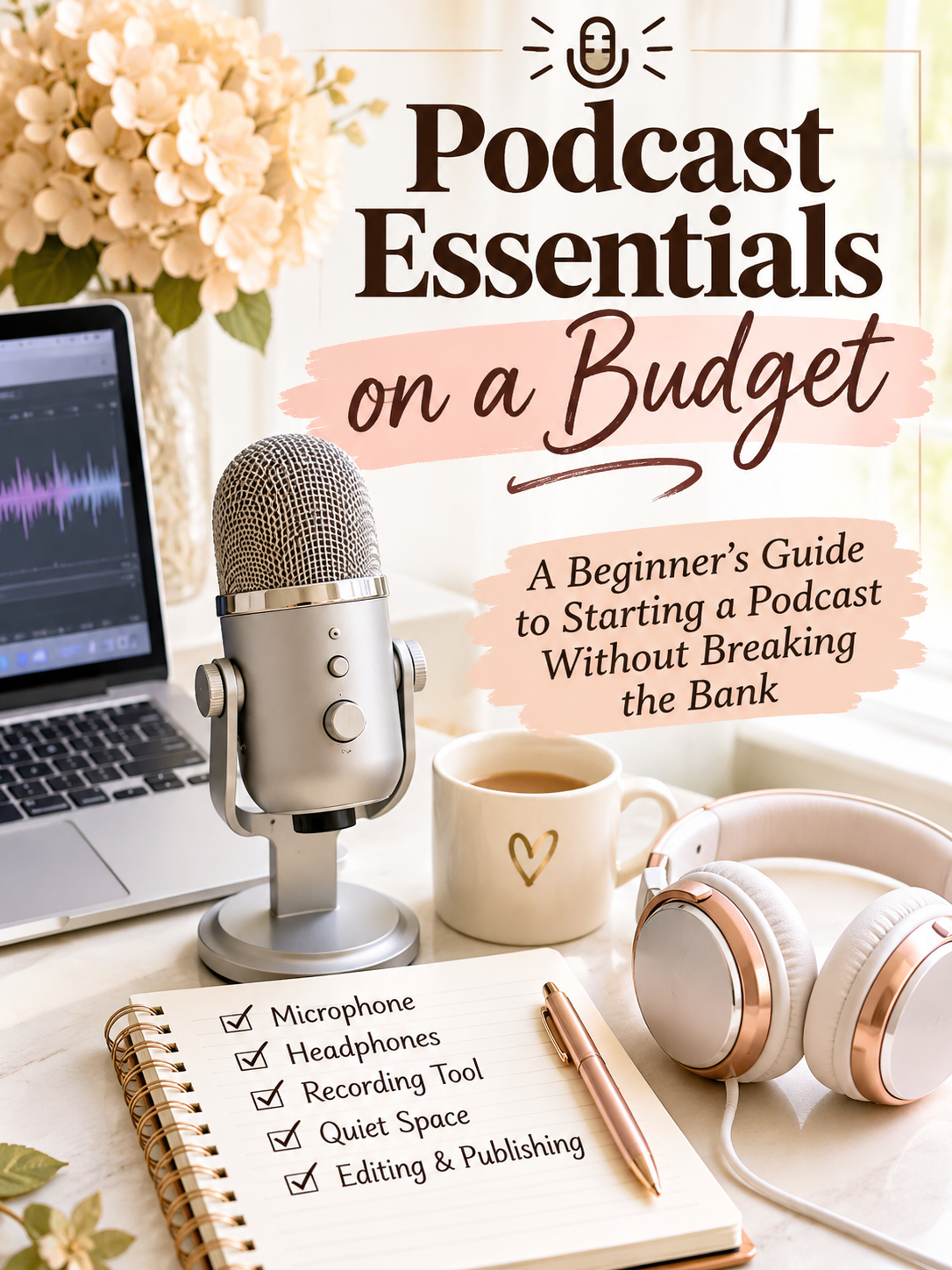

Dreaming of launching your own podcast? Here’s what you actually need to get started, including affordable equipment and recording tools.
Podcasting has become an exciting way to share stories, build communities, promote businesses, and connect with audiences around the world.
Whether you’re a small business owner, blogger, entrepreneur, or someone with an interesting story to tell, starting a podcast can be a worthwhile creative investment.
But there’s one question that stops many potential podcasters before they even begin.
How much does it actually cost to start a podcast?
The good news? You don’t need an expensive studio, professional sound engineer, or thousands of dollars in equipment.
With a little planning and the right tools, you can create a podcast on a budget.
Here’s what you need to know.
1. Start With a Podcast Idea, Not a Shopping List
Before investing in equipment, decide what your podcast will be about.
Consider these questions:
- Who is your ideal listener?
- What topics will you discuss?
- Will you host the podcast alone or interview guests?
- How frequently can you realistically release episodes?
- What makes your perspective different?
Your podcast doesn’t have to appeal to everyone. In fact, focusing on a specific audience can make it easier to develop content and build a loyal following.
For example, a podcast about budget-friendly family living could cover grocery savings, home organization, affordable travel, and practical money tips.
The key is choosing a subject you can talk about consistently.
2. Invest in the Right Microphone
Audio quality matters.
Listeners may forgive a simple podcast cover or an occasional awkward pause, but consistently poor audio can make even the most interesting conversation difficult to enjoy.
Fortunately, you don’t need a professional studio microphone to get started.
A basic USB microphone can be a practical choice for beginners.
Look for features such as:
- USB connectivity for easy setup
- Clear voice recording
- A stable desktop stand
- Compatibility with your computer
- Good background noise handling
Budget tip: Before purchasing anything, try recording a short sample using equipment you already own. A quiet room and proper microphone placement can make a significant difference.
3. Choose a Recording Platform That Makes Life Easier
Once you’ve selected your equipment, you’ll need somewhere to record your episodes.
This is where a platform like Riverside comes into the picture.
Riverside is an online podcast and video recording platform designed to help creators record, edit, and repurpose their content.
Unlike relying entirely on the quality of a live internet call, Riverside supports local recording, capturing participants’ audio and video on their own devices.
This can help preserve recording quality even when internet connections aren’t perfect.
Why Riverside Is Worth Considering
High-quality audio and video recording
Riverside supports high-quality recordings, including up to 4K video on eligible plans. This is useful for podcasters who also want to publish video episodes.
Remote guest interviews
Want to interview someone who lives across the country?
Riverside allows guests to join recording sessions remotely, making it possible to connect without traveling.
Separate audio and video tracks
Recording participants separately gives creators more flexibility when editing conversations.
Built-in editing tools
Riverside offers text-based editing, allowing creators to make changes to recordings using the transcript.
Social media content creation
Its AI-assisted clip tools can help turn longer recordings into shorter videos for social platforms.
A free starting option
Riverside offers a free plan, so beginners can explore the platform before deciding whether paid features are necessary.
The free plan has limitations, including watermarked video exports and restrictions on separate high-quality recording tracks. Compare the current plans before choosing one.
[Explore Riverside and its podcast recording tools — insert affiliate link]
4. Don’t Forget Headphones
A good pair of headphones is one of the simplest podcasting essentials.
Headphones help you monitor your audio and reduce the possibility of sound from your speakers being picked up by your microphone.
You don’t need the most expensive pair on the market.
Comfortable wired headphones can be an excellent starting point, especially if you’re planning longer interviews.
5. Create a Quiet Recording Space
One of the most overlooked podcast essentials is your recording environment.
Even an expensive microphone can struggle in a room filled with echoes, barking dogs, loud appliances, or outdoor traffic.
Try recording in a smaller room with curtains, rugs, upholstered furniture, or other soft materials that absorb sound.
You can also improve your recording environment by turning off noisy fans, closing windows, and silencing phone notifications.
Money-saving tip: Test different spaces in your home before buying soundproofing materials. You might discover that your bedroom or home office already works beautifully.
6. Create Your Podcast Branding
Your podcast needs a recognizable identity.
Start with a memorable name that reflects your topic and personality.
You’ll also want podcast cover artwork, a short description, and a consistent visual style.
Free or low-cost design tools such as Canva can help you create professional-looking graphics without hiring a designer.
Keep your artwork simple enough to remain readable when displayed as a small thumbnail.
7. Learn How to Edit and Publish Your Episodes
Recording is only part of the podcasting process.
Before publishing, listen to your episode and check for distracting background noise, long silences, and major audio problems.
You don’t need to remove every pause or make every sentence sound perfect. Natural conversations are part of what makes podcasts enjoyable.
Riverside includes editing features that can simplify this process, including transcript-based editing and audio enhancement tools on eligible plans.
You’ll also need a podcast hosting and distribution solution to make episodes available to listeners.
Riverside offers podcast hosting with its paid plans, including distribution options for major podcast platforms.
Compare hosting features, storage, analytics, and pricing before deciding which service best fits your needs.
8. Turn One Podcast Episode Into Multiple Pieces of Content
Here’s where podcasting becomes especially valuable for bloggers, entrepreneurs, and small business owners.
One podcast episode can provide material for several different platforms.
For example, a 30-minute interview could become:
- A full audio podcast episode
- A video for YouTube
- Short clips for Instagram Reels or TikTok
- A blog post highlighting the main discussion
- An email newsletter
- Quote graphics for social media
Riverside’s transcription and clip creation tools can help streamline parts of this process.
Instead of constantly creating content from scratch, you can get more value from conversations you’ve already recorded.
That’s a smart way to save time while building your online presence.
How Much Should You Budget to Start a Podcast?
The cost of starting a podcast depends on what you already own and which features you need.
Here’s an example of a simple beginner setup.
| Podcast Essential | Estimated Starter Budget |
|---|---|
| USB microphone | $30–$80 |
| Wired headphones | $15–$40 |
| Recording software | $0 to start |
| Podcast cover design | $0 using free tools |
| Quiet recording space | $0 using your home |
| Estimated initial cost | $45–$120 |
These are illustrative equipment budgets, not guaranteed retail prices. They assume you already own a compatible computer or smartphone and exclude optional paid subscriptions.
You can always upgrade your setup as your audience and needs grow.
Is Riverside a Good Choice for Beginner Podcasters?
Riverside is worth considering if you want to record remote interviews, create video podcasts, or simplify editing and content repurposing. Its free option makes it possible to explore the workflow before committing to a subscription. However, the best podcasting platform depends on your goals, budget, and recording needs. Someone creating a simple solo audio show may need fewer features than a business owner recording weekly video interviews. The smartest approach is to begin with the essentials and upgrade only when additional tools will genuinely improve your workflow.
Want to Hear From Someone Who’s Been Behind the Microphone?
Equipment is important, but there’s so much more to podcasting than microphones and recording software. Over on Adventures of Frugal Mom, I’m sharing some of the lessons I’ve learned from hosting Chats from the Blog Cabin, including why you shouldn’t let perfection stop you from getting started. Read So You Want to Start a Podcast? Here’s What I Wish I Knew Before I Started for a little inspiration before recording your first episode.
Final Thoughts: Your Voice Is Your Most Important Podcast Essential
Starting a podcast doesn’t have to be expensive or complicated.
You don’t need the latest equipment or a professionally designed studio.
You need an idea, a willingness to learn, and the consistency to keep showing up.
Platforms like Riverside can help simplify the technical side, allowing you to spend more time focusing on the content that matters.
If you’ve been thinking about starting a podcast, this might be the perfect opportunity to explore your options.
[Check out Riverside and start exploring podcast creation here.]
Remember: The best podcast setup isn’t necessarily the most expensive one. It’s the one that helps you create consistently without stretching your budget.
Affiliate disclosure: This article may contain affiliate links. We may earn a commission from qualifying purchases at no additional cost to you.